
- Version
- 1.1.2
- Requires
- macOS 14+
- Size
- 1.8 MB
What’s new in 1.1.2Updated Jul 14, 2026
What’s New in FlowMD 1.1.2 - Added rendered Markdown previews directly in Finder by selecting a file and pressing Spacebar. - Added support for headings, lists, tables, task lists, links, code blocks, and other common Markdown formatting. - Added support for displaying local images securely within Markdown previews. - Improved preview readability with responsive layouts and automatic light and dark appearances. - Improved reliability when previewing very large Markdown documents and image attachments. - Improved privacy by blocking unsafe embedded content and remote image tracking.
Screenshots
App Store description
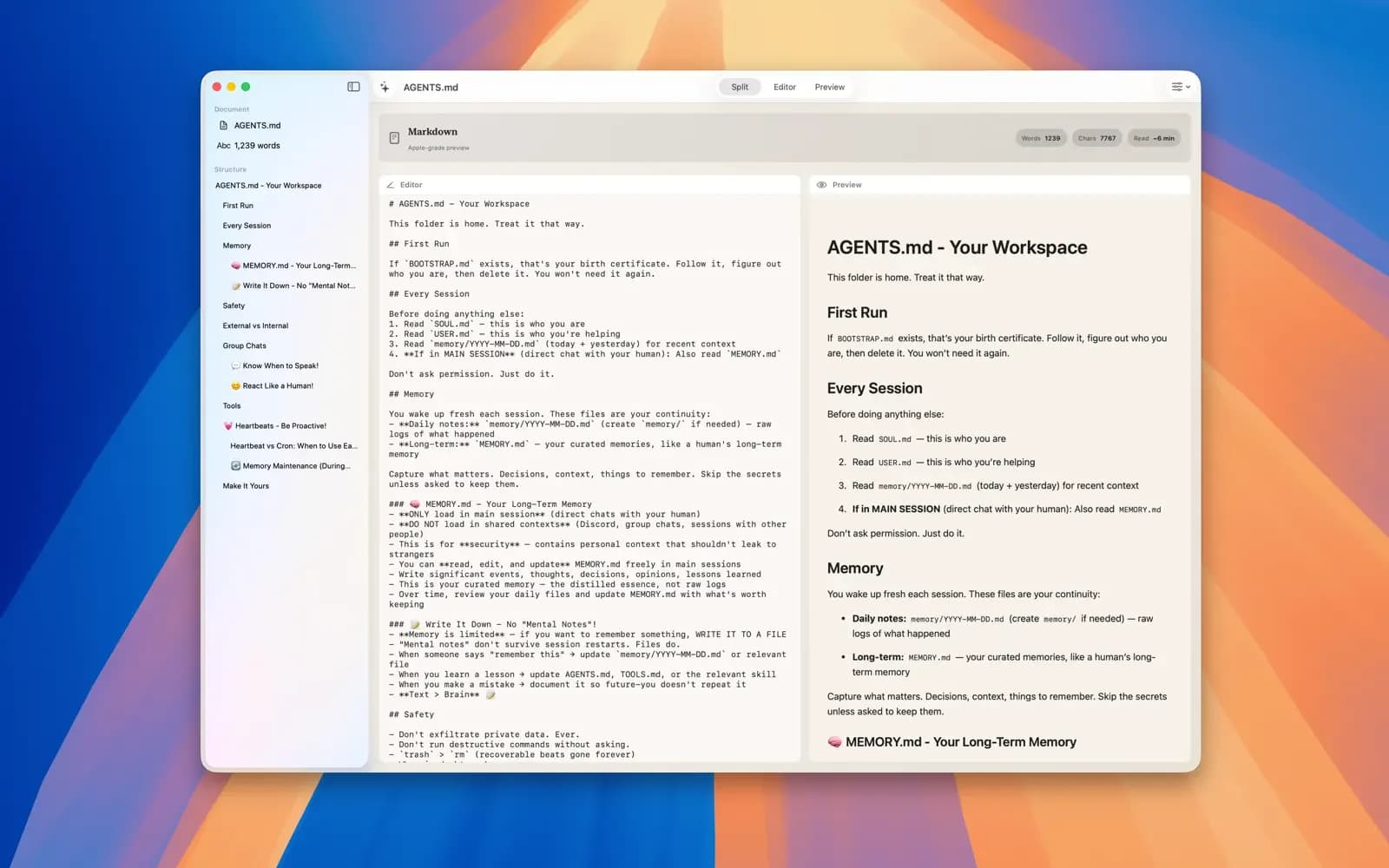
FlowMD — Markdown Editor FlowMD is a fast, focused Markdown editor for macOS with live preview built for clarity and flow. Write Markdown on one side and instantly preview the result on the other — or toggle preview when you want a distraction-free writing experience. Key Features: • Live Markdown preview • Side-by-side editor and preview • Toggle preview on or off anytime • Clean and minimal writing interface • Markdown syntax highlighting • Fast, native macOS performance • Keyboard-friendly and lightweight Perfect for notes, documentation, README files, blogs, and everyday writing. Built for Focus on macOS: FlowMD follows native macOS design principles to feel smooth, responsive, and familiar. No clutter, no unnecessary features — just a powerful Markdown editor that helps you stay in flow. Whether you’re a developer, writer, or student, FlowMD makes writing Markdown simple and enjoyable. Simple. Fast. In Flow. - Write Markdown with confidence. - Preview instantly. - Stay focused.
Features
Live preview
Write and preview side by side, or toggle the preview off to focus.
Native editing
Use syntax highlighting and keyboard shortcuts in a native Mac interface.
Finder Quick Look
Press Space in Finder to preview Markdown, including tables, tasks, code, and local images.