
SaveLinks
Save links from other apps, organize them with tags, and find them again on iPhone, iPhone Duo, iPad, and Mac.
- Version
- 3.2.1
- Requires
- macOS 26.0+ · iOS / iPadOS 17+
- Size
- 54.9 MB
What’s new in 3.2.1Updated Nov 6, 2026
- Enhance support for iPhone Duo - Enhance UX
Screenshots
App Store description
Keep the links you want to come back to. Save articles, recipes, tutorials, research and shared posts in one searchable bookmark library. SaveLinks helps you collect useful links, organize them with tags and find them again when you need them. SAVE FROM THE SHARE SHEET Send a link to SaveLinks from Safari or another app that shares web links. You can also paste a URL directly into the app or add links with Siri Shortcuts. RECOGNIZE WHAT YOU SAVED Page titles, descriptions, images and icons are fetched automatically when available, so your library is easier to browse. ORGANIZE YOUR WAY Add custom tags for work, travel, recipes or any topic. Filter by tag and switch between a visual grid and a compact list. FIND A LINK AGAIN Search saved titles, descriptions, websites and tags to return to the article, reference or idea you need. KEEP YOUR LIBRARY IN SYNC Use iCloud to sync bookmarks across your devices signed in to the same iCloud account. START SAVING 1. Find a web link you want to keep. 2. Share it to SaveLinks or paste it into the app. 3. Add tags and return to it later. FREE AND PLUS You can save unlimited bookmarks for free. Free access is limited to opening the first 15 bookmarks in the list. Upgrade to Plus for unlimited bookmark access. Plus is available through monthly or annual subscriptions, or a lifetime purchase. See current prices in the app. Build a home for the links worth keeping. Terms of Use: https://phanithny.com/apps/savelink/termcondition Privacy Policy: https://phanithny.com/apps/savelink/privacypolicy Support: [email protected]
Features
Save from the share sheet
Share a web link to SaveLinks from Safari or another app that supports sharing URLs. Preview the link before saving it.
Paste a URL directly
Use the add button to save a link from your clipboard or type a web address into SaveLinks.
Save with Siri and Shortcuts
Use the Add Link action in Apple Shortcuts on iPhone or iPad to save a URL without opening your library.
Automatic link previews
SaveLinks fetches the page title, description, preview image, and site icon when available so you can recognize what you saved.
Custom tags and filters
Add or remove tags such as Recipes, Travel, and Work. Filter the library to show links with the tag you want.
Search your bookmark library
Find saved links by title, description, website, or tag. On iPhone and iPad, you can narrow your search to one of those fields.
Grid and list views
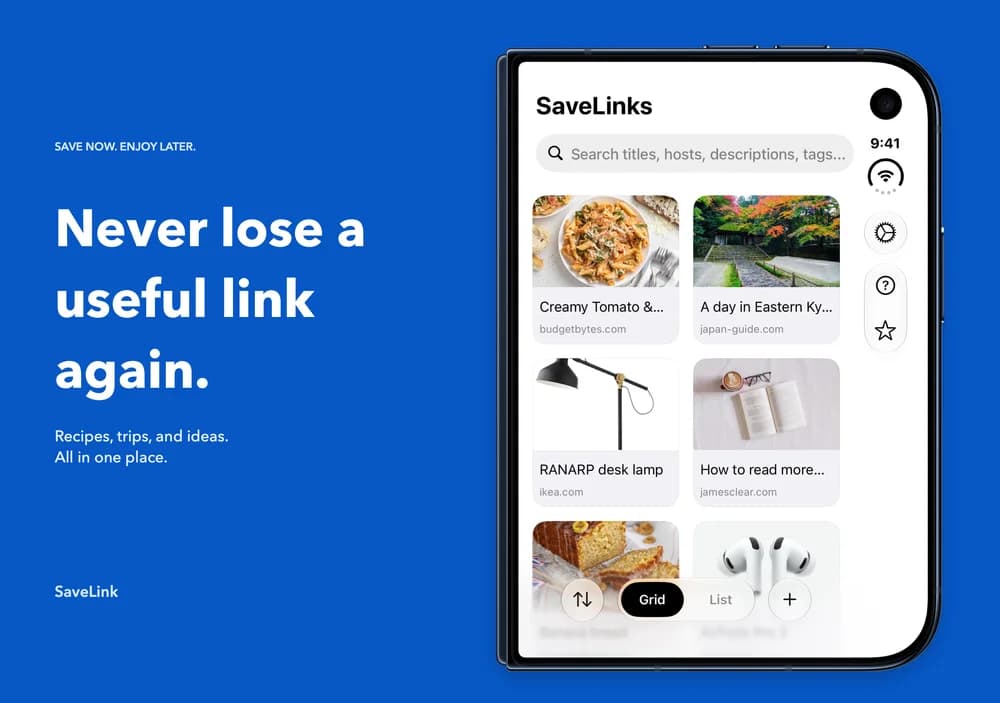
Browse image previews in a visual grid or switch to a compact list on iPhone and iPad.
Open, copy, share, or delete
Revisit the original page or manage a saved link from its menu. On iPhone and iPad, you can copy the URL or share it with another app.
iPhone Duo and iPad layouts
The library adapts to folded and unfolded iPhone Duo displays, iPad, and rotation so you can keep browsing as the available space changes.
A native Mac workspace
Browse the library beside a searchable tag sidebar. Use Command–N to add a bookmark and Command–F to search, or save a link through the macOS share extension.
iCloud sync
Keep saved bookmarks and tags in sync across devices signed in to the same iCloud account.
Larger text and dark mode
Use larger system text on iPhone and iPad or switch to a dark appearance. SaveLinks also lets you choose an app language on iPhone and iPad.
SaveLinks Plus
Save unlimited links for free and open the first 15 in the list. Plus unlocks access to the full library and the option to open supported links in their original apps on iPhone and iPad.
Questions
What is included for free?
Save unlimited bookmarks for free. Free access opens the first 15 bookmarks in the list. Plus unlocks unlimited access through monthly, annual, or lifetime purchases. See current prices in the app.
Which devices does SaveLinks support?
SaveLinks runs on iPhone and iPad with iOS or iPadOS 17 or later, including layouts for iPhone Duo, and on Mac with macOS 26 or later.
Can I use the same bookmarks on iPhone, iPad, and Mac?
Yes. Sign in to the same iCloud account on each device to sync your saved links and tags.